
Mobile payment security: How to protect your information
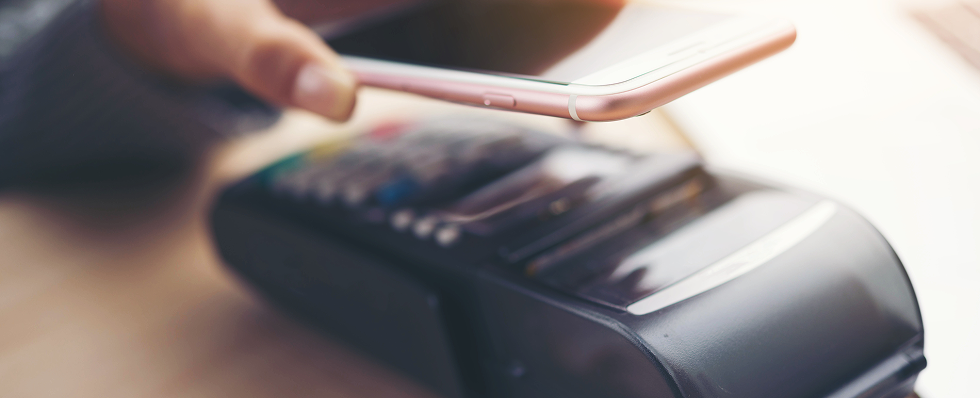
How to protect yourself when using mobile payments
Mobile payments make it easy to shop, pay bills and send money from your phone or another connected device. Most payment apps include built-in protections such as encryption, biometric authentication and virtual card numbers, but no technology can prevent every scam or account breach.
A weak password, fraudulent payment request or lost phone can still put your money and personal information at risk. That may feel unsettling, but knowing what to watch for can help you feel more confident and in control.
What are mobile payments?
Mobile payments are transactions made through a smartphone, tablet or smartwatch.
They can be used to:
- Make purchases in stores or online
- Pay bills
- Send money to friends or family
- Transfer funds between accounts
- Pay a business or service provider
Common types of mobile payments include the following:
- Mobile wallets: Store digital versions of eligible debit, credit, prepaid, transit or rewards cards. You can often pay in stores by holding your device near a compatible payment terminal.
- Peer-to-peer payment apps: Let you send money directly to other users through a linked bank account, payment card or balance stored in the app.
- Banking apps: Allow you to transfer money, deposit checks, pay bills, review transactions and manage your accounts.
- Retailer apps: Let you order and pay directly through a store or restaurant’s app. They may also store payment methods, loyalty information and purchase history.
- QR-code payments: Begin when you scan a code that opens a payment page or provides payment information. Always check the destination before entering personal or financial details.
Watch out: Do not scan an unexpected QR code from a text, email, parking sign, package or flyer without confirming who provided it.
Are mobile payments safe?
Reputable mobile wallets and payment apps can provide strong security when they are set up and used correctly. In some cases, paying through a mobile wallet may reduce the amount of card information shared with a merchant.
Common security features include:
- Device passcodes or passwords
- Fingerprint or facial recognition
- Data encryption
- Tokenization
- Virtual card numbers
- Transaction alerts
- Fraud monitoring
- Remote device locking and erasure
What is tokenization?
Tokenization replaces your actual card number with a unique substitute number for the transaction. This helps keep your real card information from being shared or exposed.
Apple Pay uses a device-specific account number, while Google Wallet may use encryption and virtual card numbers for eligible payments.
These features can protect your payment details, but they cannot tell whether a recipient is legitimate.
What are the risks of mobile payments?
Mobile payments are convenient, but they are not risk-free. Here are some of the most common issues to watch for:
- Payment scams: A scammer may pose as a bank employee, government agency, business, family member, employer or online seller and pressure you to send money. Payments you authorize yourself can be difficult to recover, so confirm unexpected requests through a trusted contact method.
- Account takeover: Criminals may access a payment account using a stolen password, exposed verification code, phishing message, malware or compromised email account. They may then transfer funds, change account details or use saved payment methods.
- Phishing and smishing: Fraudulent emails and text messages may claim that your account is locked or that a suspicious payment needs to be canceled. Links in these messages may lead to fake login pages designed to steal passwords, card details or authentication codes.
- Sending money to the wrong person: A mistyped phone number, email address, or username can send money to an unintended recipient. Some transfers are processed immediately and may not be reversible.
- Malicious or fake apps: Fraudulent payment or banking apps may imitate legitimate companies to collect login credentials and financial information. They may also request unnecessary access to contacts, messages, files or other sensitive data.
- Lost or stolen devices: An unsecured phone may give someone access to email, saved passwords, authentication messages, financial apps and personal information.
- Unsafe networks: Fake Wi-Fi networks and fraudulent websites can be used to capture sensitive information. Always confirm that you are using the correct network, app and website before making a payment.
- Excessive app permissions: Some apps request access to contacts, photos, location data, messages, or other information they do not need. These permissions can create additional privacy and security risks.
- Uninsured balances: Money stored in a nonbank payment app may not have the same federal deposit insurance as funds held directly in an insured bank or credit union. Coverage depends on the provider, how the money is held and whether insurance requirements are met.
How to use mobile payments safely
Mobile payment apps have built-in security features, but how you use them matters too. These simple habits can help protect your device, accounts and money.
1. Protect your phone with a strong screen lock
Require a passcode, password, fingerprint or facial recognition to unlock your device.
Avoid simple passcodes such as:
- 1234
- Repeated numbers
- Your birth year
- Your street number
- The last digits of your phone number
Set the device to lock automatically after a short period of inactivity. You can also hide payment, banking and authentication notifications from the lock screen.
2. Use trusted payment apps
Download payment and banking apps from an official app store or the financial institution’s verified website.
Before installing an app:
- Check the developer’s name.
- Look for spelling changes or unusual logos.
- Review ratings and download history.
- Read the privacy information.
- Avoid apps promoted through unexpected messages.
Always remember to delete apps you no longer use, especially when they remain connected to financial accounts.
3. Keep your device and apps updated
Software updates often fix known security weaknesses. Turn on automatic updates for:
- Your phone’s operating system
- Mobile payment apps
- Banking apps
- Your browser
- Password-management and security apps
Do not continue using a device that no longer receives security updates for sensitive transactions.
4. Strengthen your payment accounts
Use a unique password for each payment, banking and email account. A password manager can help create and store long, unique passwords.
Turn on multifactor authentication whenever it is available as well. Depending on the service, this may use:
- An authenticator app
- A security key
- A fingerprint or facial scan
- A one-time security code
Watch out: A caller claiming to be from your bank may ask for a code to “verify” your identity. That code may actually approve the caller’s attempt to access your account.
5. Verify every recipient before sending money
Before completing a transfer, confirm the recipient’s:
- Full name
- Username
- Email address
- Phone number
- Profile photo
- Requested amount
- Reason for the payment
For a first-time recipient, consider sending a small test amount. When a friend or family member sends an unexpected request, contact them through a number or account you already trust.
6. Watch for mobile payment scams
Pause when someone pressures you to act immediately. Common scam requests include:
- Move money to a “safe account.”
- Pay a fee to claim a prize.
- Send money to fix a government or tax problem.
- Refund an unexpected payment.
- Pay before receiving an online purchase.
- Send money to help a relative in an emergency.
- Share an authentication code.
- Pay a business using a personal payment account.
Quick check: Ask yourself, “Did I expect this request and can I independently confirm who sent it?”
7. Turn on transaction alerts
Enable alerts for:
- Purchases
- Transfers
- New logins
- Password changes
- New devices
- Changes to linked bank accounts or cards
Always review alerts as soon as they arrive. A small unfamiliar charge may be a sign that someone is testing an account before attempting a larger transaction.
8. Be careful when using public Wi-Fi
Use cellular data or a trusted private network for financial activity when possible. When using public Wi-Fi:
- Confirm the network name with the business.
- Avoid networks that do not require a password.
- Do not ignore browser security warnings.
- Confirm that you are using the official app or website.
- Log out when the transaction is complete.
9. Review privacy and app settings
Check which apps can access:
- Contacts
- Location
- Camera and microphone
- Photos and files
- Text messages
- Bluetooth
- Notifications
Disable permissions that are not necessary for the app to function. Also, review the privacy settings of P2P payment apps. Payment histories, contact lists or usernames may be visible to other users unless you change the defaults.
10. Avoid keeping more money than necessary in payment apps
Transfer excess funds out of payment apps when you do not need them for upcoming transactions. Review the provider’s terms to determine:
- Whether balances may be insured
- Which financial institution holds the funds
- Whether specific steps are required for coverage
- How long transfers take
- What happens after an unauthorized payment
Do not assume that every balance is automatically protected simply because the payment company partners with a bank.
What should you do if your phone is lost or stolen?
Losing your phone can be stressful, especially when it holds payment and banking information. Acting quickly can help protect your accounts and limit unauthorized access.
- Locate or lock the device. Use Apple Find My or Google’s device-location service.
- Erase it remotely when necessary. This can remove personal and payment information stored on the phone.
- Contact your wireless provider. Ask the provider to suspend service and block the device.
- Suspend stored payment cards. Use the mobile wallet’s security controls or contact the card issuers.
- Change important passwords. Begin with your primary email account, followed by banking and payment accounts.
- Review recent activity. Look for unfamiliar transactions, logins or password changes.
- Remove the phone from trusted-device lists. Check email, banking, social media and password-management accounts.
- Report the theft when appropriate. A police report may support an insurance claim or fraud dispute.
Pro tip: Set up your device’s location and remote-locking features before you need them. These tools may not work correctly if they were never enabled.
What should you do after a suspicious mobile payment?
First, determine whether the transaction was unauthorized or whether you approved it after being deceived.
- An unauthorized transaction is generally one you did not make or permit.
- An authorized scam payment occurs when you personally approve the transfer because a scammer misrepresented the situation.
Then, take these steps:
- Report the transaction through the payment app immediately.
- Contact the linked bank, credit union or card issuer.
- Ask whether the payment can be stopped, recalled or reversed.
- Change compromised passwords.
- Enable multifactor authentication.
- Save receipts, messages, usernames, phone numbers and screenshots.
- Review other accounts for suspicious activity.
- Report the scam to the Federal Trade Commission (FTC) by visiting ReportFraud.ftc.gov.
- Contact the recipient’s financial provider when that information is available and provide recipient name, username, email address or phone number including any account information displayed in the transaction record.
Federal rules provide certain protections for unauthorized electronic transfers. However, your potential liability may depend on how the transaction occurred and how quickly you report it.
Do not wait for the next monthly statement to report suspicious activity.
Build safer mobile payment habits
Mobile payments can make everyday purchases and money transfers faster and easier, but a little caution goes a long way.
Keep your phone and accounts secure, check who you’re paying and review transaction alerts regularly. When a payment request feels unexpected or urgent, pause and verify it before sending money.
That extra moment can help you avoid a mistake or scam that may be difficult to reverse.